Canadian Trappers Talk Forum
https://www.trapper.ca/cnta/

Posting pictures Help
https://www.trapper.ca/cnta/viewtopic.php?f=7&t=476
Page 1 of 2

Author:  labrador trapper [ Wed Nov 15, 2006 9:25 pm ]
Post subject:  Posting pictures Help

Ranger
could you tell me how to post pictures on your fourm.Please.

Author:  Ranger [ Wed Nov 15, 2006 10:29 pm ]
Post subject: 

You need to have the pictures uploaded to the web on server space somewhere. If you don't have space of your own, you can use www.photobucket.com. Once you have uploaded the picture, simply put in the URL (web address) of the picture.

Author:  labrador trapper [ Thu Nov 16, 2006 10:06 pm ]
Post subject: 

Thanks will give it a try soon

Author:  paquette [ Mon Nov 19, 2007 6:08 pm ]
Post subject: 

There are two ways to post pictures. Those that are yours and those that you find on the net.

Either way, you'll need an URL in order to post pictures here.

Here's an example of an URL picture:

http://www.kingsoutdoorworld.com/pix/beauty_400x300.jpg

This was taken from another website. To see this picture, users simply have to click on the link and it will open up.

However, you can have it display here like this:

Image


To post any picture on this site, you need to insert the URL between Image tags that appear like this:

{img}URL OF THE PICTURE{/img}

*****except you use square brackets [] instead of the other kind {}*****

If you have pictures on your computer you wish to share, you have to sign up for an image hosting service first. Examples are:

www.photobucket.com
www.imagestation.com
www.hunt101.com

or upload them to your own website.

These accounts are all free.

Once you have completed that you can then up load pictures from your computer. Follow the instructions at your photo hosting web site.

Once your photos are uploaded you should be able to view any picture and readily see it's URL.

Some sites even have the IMG tags already inserted and all you have to do is cut and paste.

Author:  paquette [ Thu Feb 21, 2008 8:27 am ]
Post subject: 

Here's another great example....

http://trappingisus.proboards66.com/ind ... 1201060745

Author:  trapp [ Fri Nov 07, 2008 1:22 pm ]
Post subject: 

Any other suggestions for image hosting sites ?

Imagestation is now closed btw.

Author:  trapp [ Sat Nov 29, 2008 3:46 am ]
Post subject:  Re: Posting pictures Help

I guess now with the changes, all I have to do is learn to post a picture without a secondary post host.

Author:  Ranger [ Sat Nov 29, 2008 9:35 am ]
Post subject:  Re: Posting pictures Help

It's easy to do now.

Click the browse button in the attatchement window below your normal post.

It will open a window showing the contents of your computer.

Choose the picture you want to add and click the Open button.

Then click the Add the file button in the Add Attachment section.

Then click Submit

Author:  sealhunter [ Sat Nov 29, 2008 11:50 am ]
Post subject:  Re: Posting pictures Help

Ranger wrote:
It's easy to do now.

Click the browse button in the attatchement window below your normal post.

It will open a window showing the contents of your computer.

Choose the picture you want to add and click the Open button.

Then click the Add the file button in the Add Attachment section.

Then click Submit


I tried that but my files were to big to upload. :( If it did it is a lot faster and eaiser than bucket, especially for me since i have dial up.

Author:  trapp [ Sat Nov 29, 2008 1:16 pm ]
Post subject:  Re: Posting pictures Help

Going to test here with a picture of inside my cabin while I was building it.
Attachment:
Kitchen.jpg

Author:  trapp [ Sat Nov 29, 2008 1:20 pm ]
Post subject:  Re: Posting pictures Help

Well I did get it to work but the first try only showed the heading of the picture with no picture.

What a great new feature to the forum Ranger ... thank you.

Author:  Rasorbackq [ Wed Jan 28, 2009 11:47 am ]
Post subject:  Re: Posting pictures Help

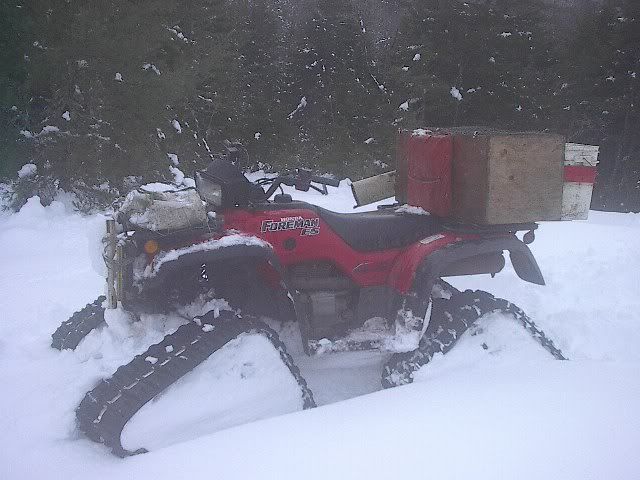
this is a test to see if a pic appears or a link.

http://i246.photobucket.com/albums/gg108/rasorbackq/AtvTracks3.jpg

Author:  Rasorbackq [ Wed Jan 28, 2009 11:48 am ]
Post subject:  Re: Posting pictures Help

Why did a link appear and not the pic??

Author:  trapp [ Wed Jan 28, 2009 12:31 pm ]
Post subject:  Re: Posting pictures Help

Go to your picture on photobucket. Hold your curser over the picture and move it down, another window will appear, keep moving you curser down till it is over the IMG code. Left click on that and it will turn blue (highlighted). Now right click and copy. Then go to your post. right click and paste.

Always double space after your typing before you paste. Keeps the post nice and clean separating picture from typing.

Author:  Island Trapper [ Fri Jan 30, 2009 10:38 am ]
Post subject:  Re: Posting pictures Help

Test ... Pic:


[IMG]http://i622.photobucket.com/albums/tt310/manuelrowsell/20090130_16.jpg[/IMG]

Page 1 of 2 All times are UTC - 5 hours [ DST ]
Powered by phpBB® Forum Software © phpBB Group
http://www.phpbb.com/